Instagram Bulk Downloader
The fastest way to batch save Instagram photos, videos, audio or entire profile posts online at no cost. Just enter a profile username or link to download all media in high quality at once. No extensions or software needed.
How to Download Instagram Posts in Bulk?
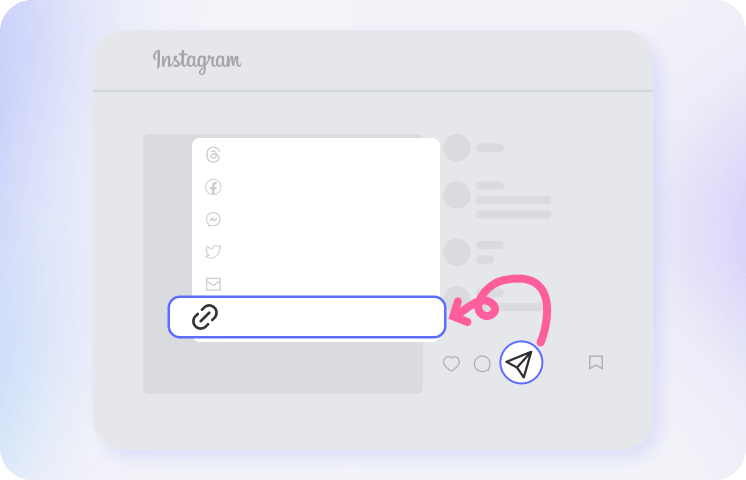
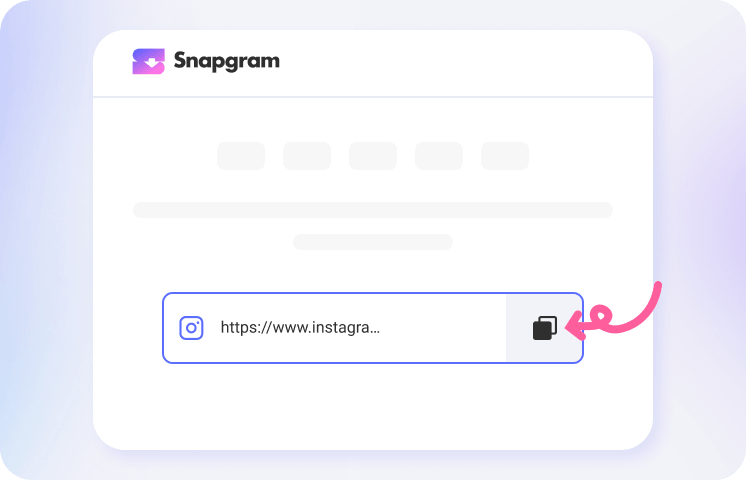
Type or paste the username or profile link of the public Instagram account you want to browse into the field above. You can copy the link directly from Instagram using a mobile or desktop browser.
Snapgram will load the available media from the profile in one place. Browse photos, videos, Reels, Stories, Highlights, carousel posts and IGTVs, then select the items you want to save.
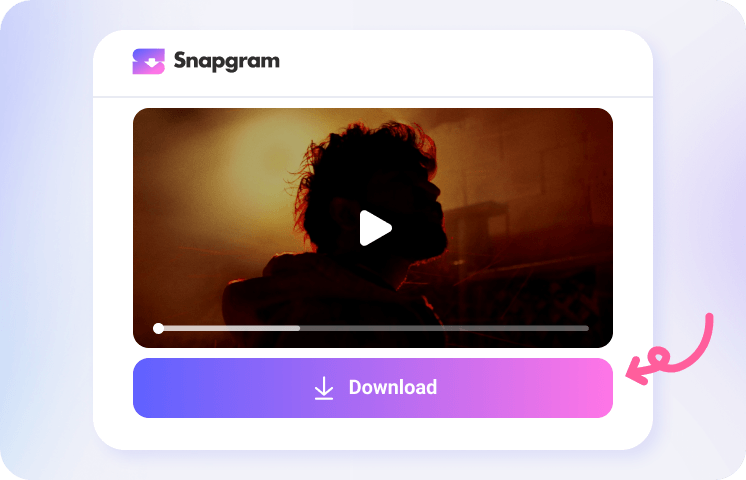
Hit Download button to save individual files, or select all posts to download them in one batch. Your files will be auto saved to your device’s default download location, where you can organize or share whenever you need.
Free Instagram Bulk Downloader App

Exciting Features of Instagram Mass Downloader

Bulk Save Insta Online

Download Entire Profiles in Seconds

Keep Original High Quality

Private & Secure Downloads

Manage All Posts in 1 Place

Bulk Social Media Downloader
All Instagram Posts in Just 1 Download
FAQs about Instagram Batch Download
What is an Instagram Bulk Downloader?
An Instagram Bulk Downloader lets you save multiple public Instagram posts at once instead of downloading photos and videos one by one. With Snapgram, you can batch-download all posts, Reels, videos, photos, carousel slides, Stories, and Highlights in one place.
How do I download multiple Instagram photos?
Use Snapgram to download multiple Instagram photos from a carousel post or public profile in a few simple steps. Paste a post link with multiple images or enter a profile username, then let Snapgram load the available media. Select the photos you want or choose all available posts, and save them to your device.
How do I bulk download Instagram Reels without a watermark?
Paste an Instagram profile URL, username, or Reel collection link into Snapgram’s batch downloader, then click Download. Once the available Reels are loaded, select your preferred clips and save them in the highest available MP4 quality, without added Snapgram watermarks.
How do I download Instagram videos in bulk?
Snapgram lets you save many Instagram videos in one batch, including Reels, feed videos, Stories, Highlights, carousel videos, and tagged videos. Paste an Instagram profile or video link into the search box, choose the media and format you want, and download your selection in one go.
Can I download an entire Instagram profile?
Yes. Enter an Instagram username or profile URL into Snapgram to load its available content. You can select individual posts or download multiple photos, videos, Reels, and carousel posts in one batch.
Does the Instagram Mass Downloader work on Android and iPhone?
Yes. Snapgram’s online batch downloader works on iPhone, Android, Windows, Mac, and Linux. Open the tool in a modern browser such as Safari, Chrome, Edge, or Firefox, paste an Instagram link, and save the files you select.
Where do my downloaded Instagram files go?
On a computer, downloaded files usually appear in your browser’s Downloads folder. On mobile, they may be saved in your Downloads folder, Files app, browser download manager, or Photos/Gallery app, depending on your device and browser settings.
Is it safe to use an Instagram Batch Downloader?
Snapgram does not require your Instagram password or unnecessary permissions. To help protect your privacy, all processed files are automatically deleted from our servers after the retention period stated in our privacy policy.