Instagram Photo & Video Post Downloader
Fast save photos, videos, stories, reels, albums and carounsel posts from Instagram accounts to any device for enjoy them anytime, anywhere.
✓ Free ✓ High Quality ✓ Unlimited Downloads ✓ No Ads
How to Download IG Photo or Video Posts in Seconds?
Open the photo or video post on Instagram and tap the three dots, then choose Copy Link.
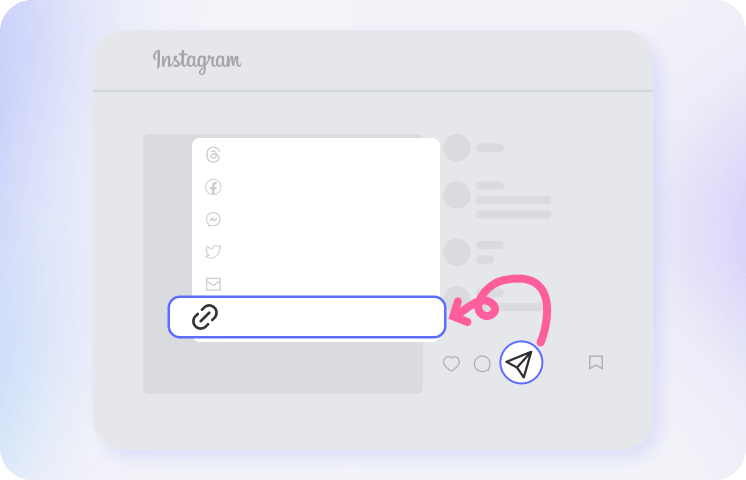
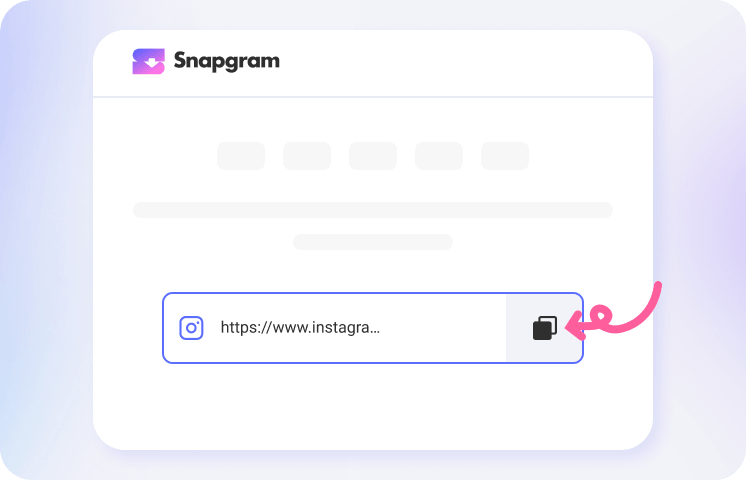
Paste the copied link or profile name into the input box of our IG post saver, and press Download to process the media.
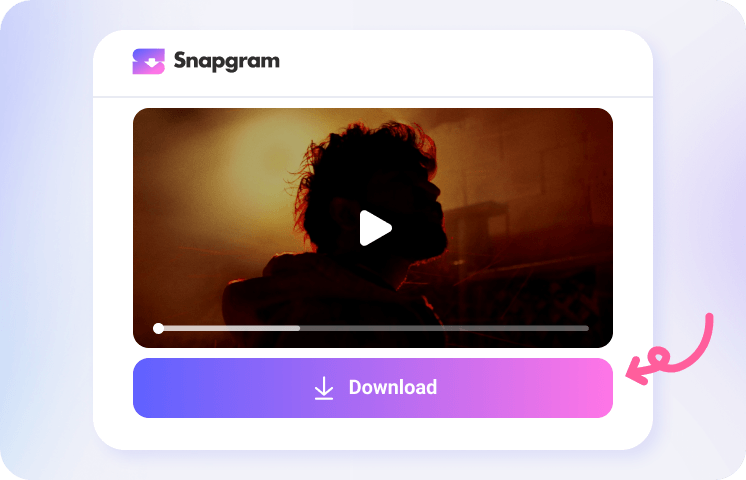
Wait for the posts to appear, then view or tap the Download button to save the photos or videos without watermark to your device.
Add Snapgram to Your Home Screen

What Makes Our Instagram Post Downloader Stand Out?

Full Instagram Downloader

Ad-Free Experience

Download IG Post in HD

Bulk IG Post Saver

All Devices Supported

100% Safe & Secure
The Best Free IG Downloader at Your Fingertips
FAQs About Instagram Post Downloader
What is Instagram Post Downloader?
An Instagram post downloader is a browser-based tool or extension that lets you save Instagram photo, video, or carousel posts by link or username to your phone or desktop device. Using Snapgram, you can easily view and download a single Instagram post or multiple media files from one page with no download limits.
How to Download Instagram Photos for Android / iPhone / PC?
Simply copy and paste an Instagram photo link or username into Snapgram via Google Chrome, Safari, Edge, Firefox, or any browser on your phone or computer. Tap the Download button and wait a few seconds; our IG post saver will automatically show all photos or slides so you can view them or download them for offline use.
How to Download Instagram Profile Picture Online?
Snapgram is a great website to view and save Instagram profile pictures for free in full HD quality. Just copy the profile link or username, paste it into our site to get the full-size DP in 1080p. No watermark is left, and no signup or login is required from start to finish.
How to Download Insta Posts in 4K?
To save an Instagram photo or video post in the highest resolution, such as 2K, 4K, use the Snapgram Insta Downloader app on your device. Paste an IG post link or profile name, then tap Download to enjoy the best offline viewing quality.
How to Download Instagram Post with Music?
Use Snapgram’s all-in-one Instagram post downloader to save story, reel, or video posts with music, song, or soundtrack without quality loss. Copy the Instagram post link and paste it into our IG download tool to save the video with audio directly to camera roll or gallery. Our free IG downloader works perfectly in your browser, making it convenient for users who prefer not to use the Instagram app.
Is It Possible to Download All Posts from an Instagram Account at Once?
How to Download Insta Posts from a Private Account?