Instagram Audio Downloader
Easily separate and download MP3 audio from Instagram Reels, feed videos, Stories, Highlights, or IGTV by pasting an Instagram link. Get a clean audio file you can save, enjoy or reuse anytime, anywhere.
Instagram to MP3 Converter Free Online
How to Download Audio from Instagram?
Open the Instagram app or website, find your favorite Instagram reel or video with background music or soundtracks you want, then tap the Share icon and choose Copy link.
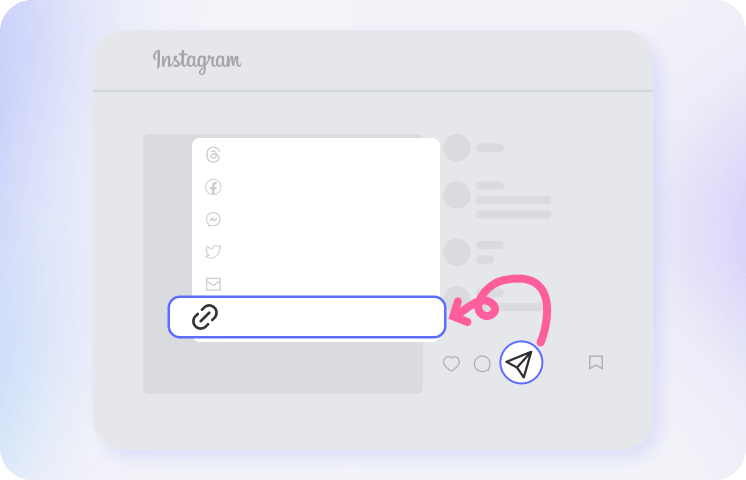
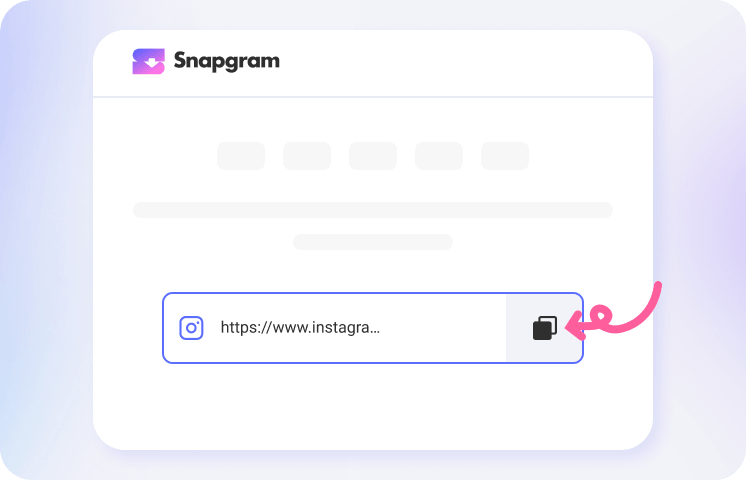
Return to our Instagram audio converter and paste the link into the search box. The tool will verify the post link and start extracting and converting it, usually in about 3 seconds.
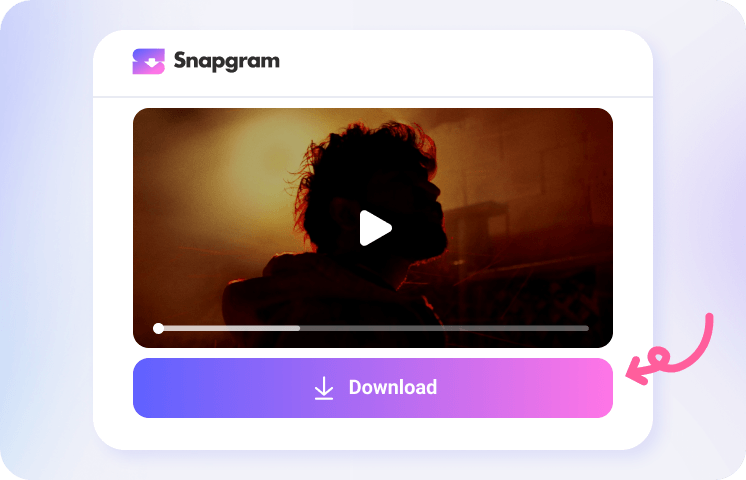
Now you can review the extracted Instagram audio and click Download Audio to save the best-quality MP3 to your mobile phone or computer device.
Get the Best Insta Audio Saver

Exciting Features of Our Instagram Audio Downloader

Convenient to Use

Download Instagram Reel Audio

Speedy Instagram Downloader

Standalone MP3 Audio

Original Audio Quality

100% Safe & Secure
Instagram Audio Download FAQs
How do I download Instagram audio to MP3?
Paste an Instagram Reel, Story, or post URL into the Snapgram search field and click Download. The tool fetches the media, extracts the audio track, and converts it to MP3. Your audio file is ready in seconds and can be saved to your phone or computer.
How do I convert Instagram Reels to audio?
Simply provide a public Reel link from Instagram, and we’ll automatically extract and convert the video to MP3 format.
How do I download songs from Instagram posts or Reels?
Open the Reel or post in the Instagram app or on the web, tap Share, copy the link, and paste it into the input field on this page. Snapgram extracts the background song as an MP3 you can save for offline listening. It’s free, with no limit on the number of tracks you can extract.
Which is the best free Instagram to MP3 converter?
There are plenty of free Instagram-to-audio converters, but Snapgram stands out for its easy-to-use interface, unlimited audio extractions, high-bitrate output, batch downloads, and more audio controls in the app.
How does an Instagram link-to-audio downloader work?
Three things happen behind the scenes: the downloader fetches the media from the link you paste, separates the audio track from the video, and re-encodes it as an MP3 file. You keep the original sound quality in a much smaller file, so it doesn’t take up much storage on your phone.
Can I download Instagram audio from Stories and photo posts too?
Yes — anything public with an audio track works: Reels, feed videos, Stories, and carousel posts. Private accounts are the exception.
Can I save soundtracks from Facebook, TikTok, or other social platforms?
Absolutely. Snapgram isn’t limited to Instagram. The app also supports audio and video downloads from TikTok, Facebook, and other major social platforms, so one tool covers most places where you find music you want to save.
How do I find songs from Instagram Reels?
Use an Instagram audio finder and downloader like Snapgram. Enter a Reel link, and it will automatically detect the music track so you can preview or download it for personal use.