Instagram Story Downloader
Save Instagram stories and highlights instantly from a link on your mobile, desktop, or tablet, and enjoy them anytime, anywhere.
Free. High-quality. No Ads. No Login.
How to Download Instagram Stories?
Open Instagram and find the story you want. Tap the "Share" icon to copy the link.
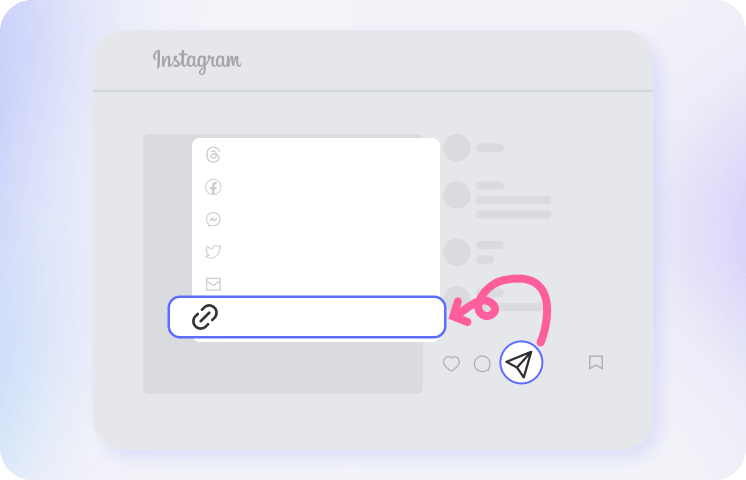
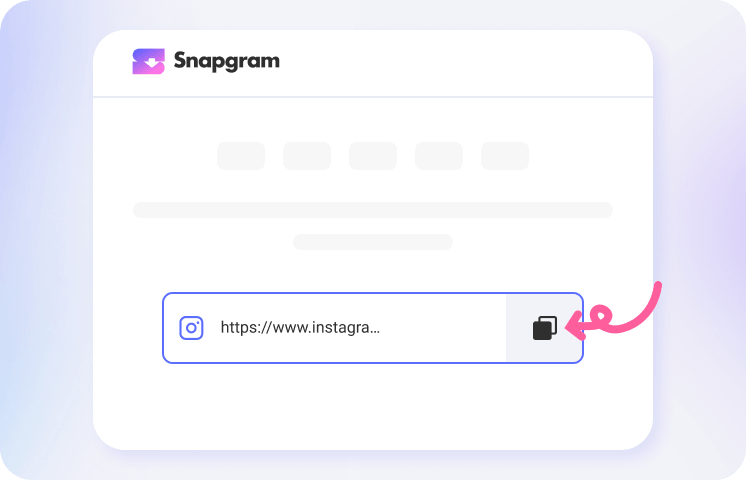
Return to our online story saver and paste the copied link into the search box. Snapgram will show all available stories from that Instagram profile.
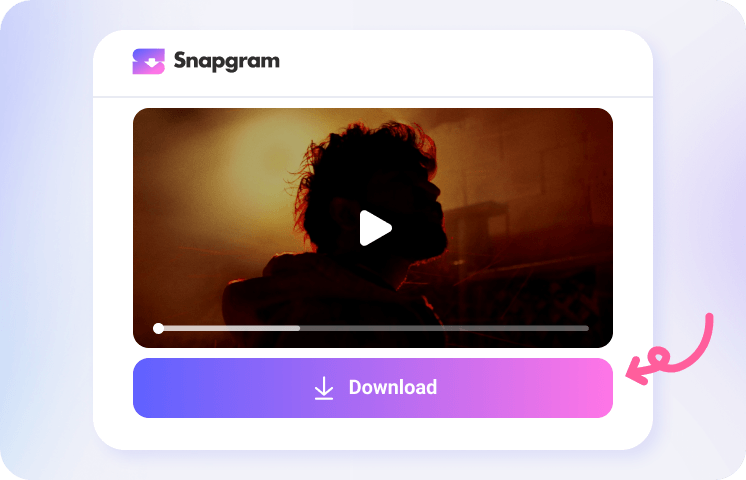
Browse the results and tap the "Download" button under your favorite Story to save the MP4 video or JPG photo to your device.
Get the Fastest Insta Saver App

Why Pick Snapgram to Download Instagram Stories?

Online IG Story Saver

High Quality Downloads


Save Story with Music

No Watermark Added

100% Secure to Use
Instagram Story Downloads Made Simple
Hot FAQs
How can I download stories from Instagram?
To save Instagram stories, simply copy the story link or username from Instagram app or website, paste it into the input field on our free Insta story saver site (available on Android, iOS, Windows, Mac, or Linux), and click the "Download" button. The photos or short videos will be saved without quality loss. Our IG downloader makes the process quick and easy, ensuring a seamless experience for users looking to download Instagram status videos.
How can I download Instagram highlights?
It’s just as easy as downloading regular Stories. Go to the Instagram profile, open the pinned Highlight you want, copy the link, and paste it into our search box to start the download.
What is the Instagram story save download app?
Snapgram offers a free Android app for anonymously saving and downloading Instagram stories and highlights in HD. With one tap from the Instagram story screen, you can download content through a simple, user-friendly experience.
Can I download someone's private story?
Yes, but only if the account owner accepts your follow request or gives you permission to access and save their content. Private Instagram stories are only visible to approved followers, so always respect the owner’s privacy before downloading or saving anything.
Can I download Instagram stories anonymously?
Yes. Snapgram enables you to view and download public Instagram stories anonymously. Just paste a link with the username, and the story loads instantly without showing your account in the viewer list. No login or app installation is required.
How to save other people’s Instagram stories?
The best way to save stories or highlights to your gallery or camera roll is by using Snapgram IG Saver online, which works on Android, iPhone, Windows, Mac, and Linux. Simply copy the story link or profile username from Instagram and paste it into the downloader to save photos or videos as needed.
Are there any limits on the number of stories I can download?
No. With Snapgram, you can download unlimited Instagram photo and video stories for free, with no restrictions. Enjoy a quick, convenient experience and save your favorite content anytime.
Can I download Instagram stories in 4K resolution?
Instagram Story uploads are limited to 1080p, so 4K isn’t available as an original Story quality. With Snapgram, you can save the highest HD quality available, and if you want a sharper look, you may need a video enhancer like Artguru's to improve the clarity.